
How to Make Pet Trading Cards from Your Photos
Make pet trading cards with an editable layout, photo and text ideas, front-and-back design steps, and practical checks for printing and cutting.
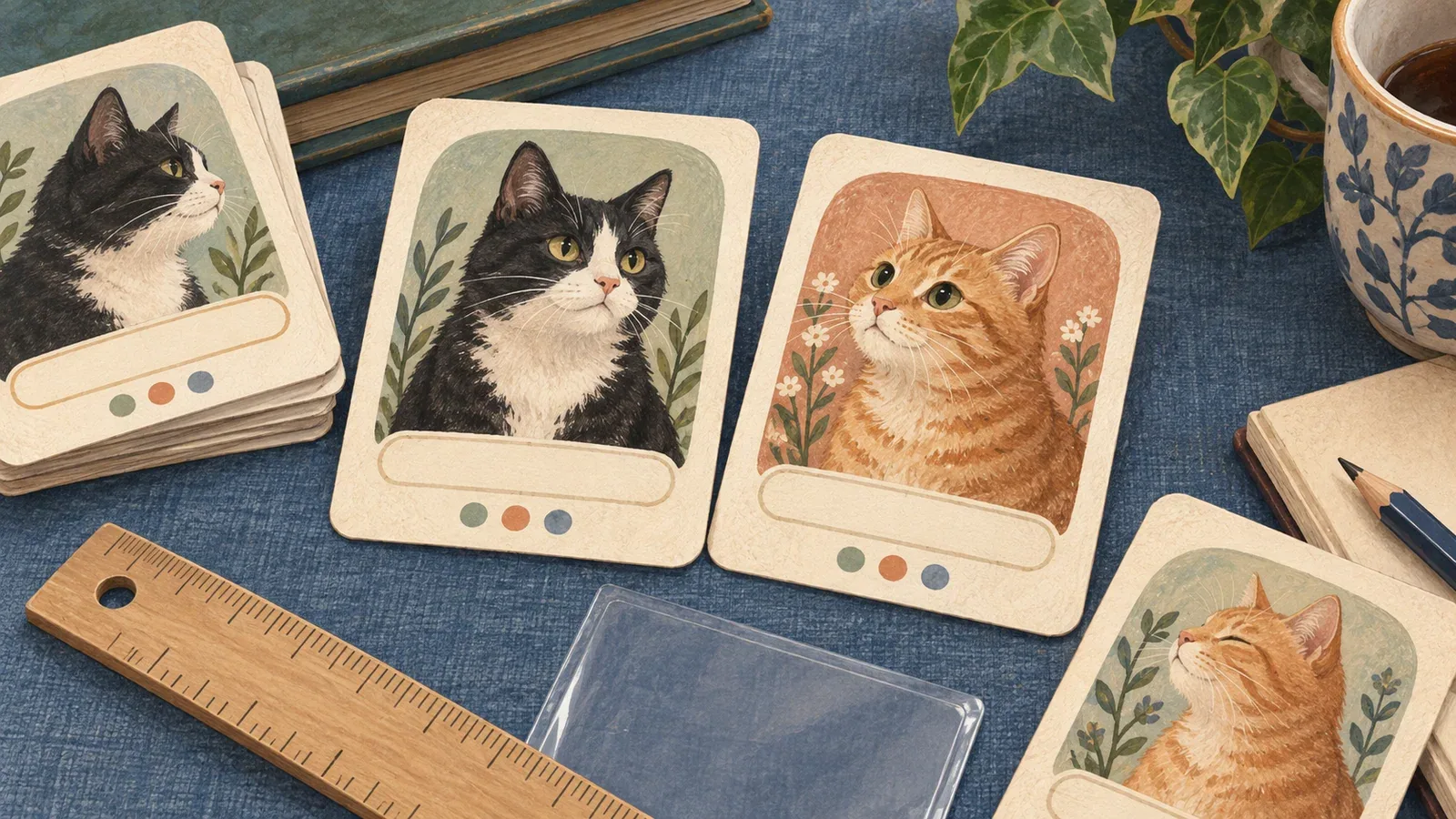
Table of Contents
To make a pet trading card, combine a clear photo, a name and a few original details in a small front-and-back layout. Keep the text short, inspect it at actual size, and print a single sample before making a set. A card-shaped generated picture is not automatically an editable or print-ready card.
Choose the card and printing route
The editable pet trading-card template makes an original keepsake card with a front and a back. It works in your browser with a local photo and text fields. It does not upload the photo, require a Frameow account, or reproduce a branded game's layout.
Our template is designed as a 2.5 × 3.5 inch trim-size example. It has a visible outer border and an inset area for important content. It prints the front and back side by side on one sheet so you can test them separately. It is not a commercial printer's bleed template or an automatically aligned duplex file.
For a professional printer, obtain that product's template first. Use its trim, bleed, safe-area, file-format and resolution requirements rather than assuming the example's layout can be uploaded unchanged.
Add a photo and personal details
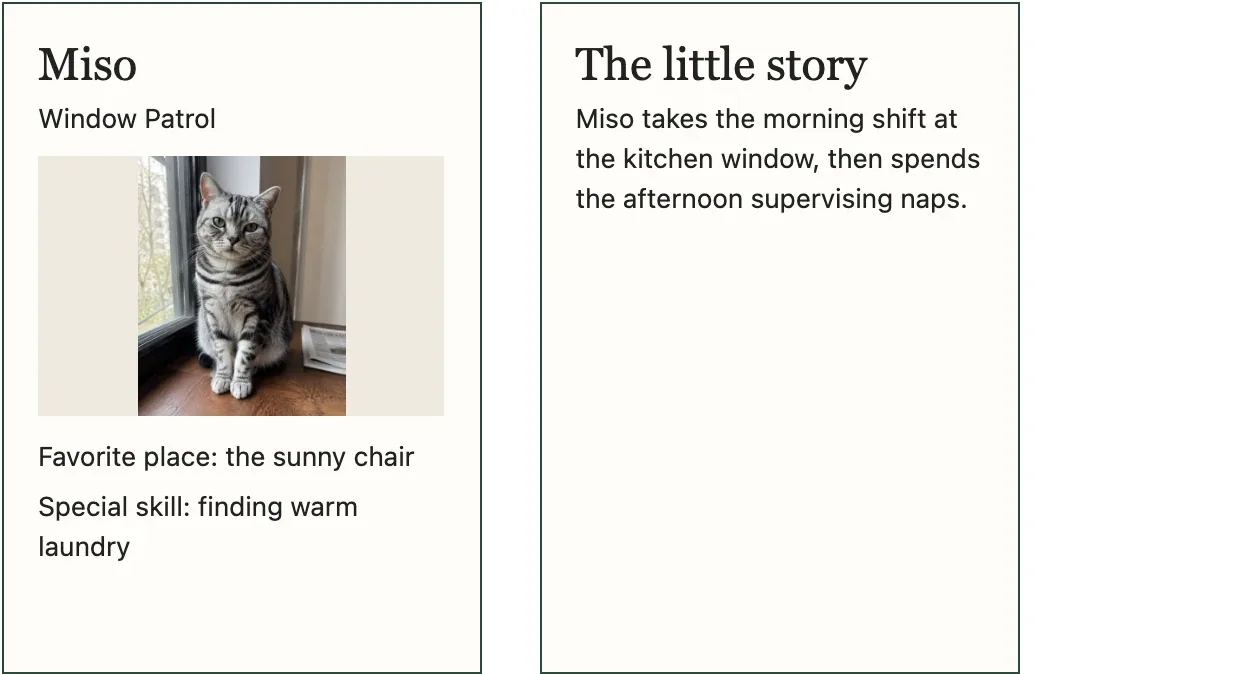
Actual browser template preview with example content. The front and back are separate 2.5 × 3.5 inch layouts; test your print scale before cutting.
Choose a picture with visible eyes and enough space around the ears. The template fits the whole image inside its photo area, so a different aspect ratio can leave space around it. That is preferable to silently cropping a part of the cat you wanted to keep.
Fill in a short name, a title, two playful attributes and a story for the back. For example:
| Field | Original example |
|---|---|
| Name | Miso |
| Title | Window Patrol |
| Attribute 1 | Favorite place: the sunny chair |
| Attribute 2 | Special skill: finding the warm laundry |
| Back story | Miso takes the morning shift at the kitchen window, then spends the afternoon supervising naps. |
These are invented examples for your own customization. Use words that describe the actual cat, and keep private addresses, phone numbers and other unnecessary personal details off a gift card.
Check the layout at actual size
After editing, inspect the card in the browser and in print preview. Long names and paragraphs are harder to read when shrunk. Shorten the wording instead of continually reducing the font size.
Keep ears, eyes, titles and meaningful details away from the outer edge. A cut is not perfectly precise, and the edge of a sleeve or mount can also cover part of the card. The template includes a 1-inch scale line outside the cards so you can check the printed size with a ruler.
For this example's 2.5 × 3.5 inch card, a raster image covering the entire trim area at 300 pixels per inch would be 750 × 1,050 pixels, before any printer-specific bleed. The photo area is smaller than the complete card, and the template's text is rendered separately. Do not treat this arithmetic as a guarantee of physical print quality.
Export or print a sample
Use the template's print button to open your browser's print dialog. Select US Letter or A4 paper, portrait orientation, and 100% scale if the dialog permits it. Disable browser headers and footers. Check that the two cards and the scale line fit before printing or choosing “Save as PDF.”
Reopen the saved PDF to confirm the image and text appear. For a physical sample, measure the 1-inch check line. If it is smaller or larger than an inch, adjust the print scale before cutting. Cut along the outer card borders and compare the two pieces before attaching or mounting them.
For a front and back made as separate pieces, you can mount them together on a suitable support or place them back to back in a sleeve that fits. Test the materials before making a batch. We have not physically verified a particular printer, paper, adhesive or sleeve combination for this template.
Build a set without losing the originals
Save one PDF per cat or per version, using filenames that identify the recipient and revision without unnecessary personal information. Keep the original photos separately. The browser template does not preserve edits after a reload, so save the output before closing it.
A set of keepsake cards is different from a playable deck with suits, rules and balanced attributes. If your goal is a game, plan those elements as another design task.
Frameow's fantasy card portrait style can supply optional digital artwork for the photo area. Add readable text in the editable layout afterward, and inspect every word. An ordinary cat photo is equally suitable for making a card that feels personal.
Cat portrait tutorials, creative gift ideas, and new styles from the Frameow team.