
How to Photograph a Black Cat with Clear Fur Detail
Learn how to photograph a black cat using window light, a suitable background and careful exposure, with practical fixes for common photo problems.
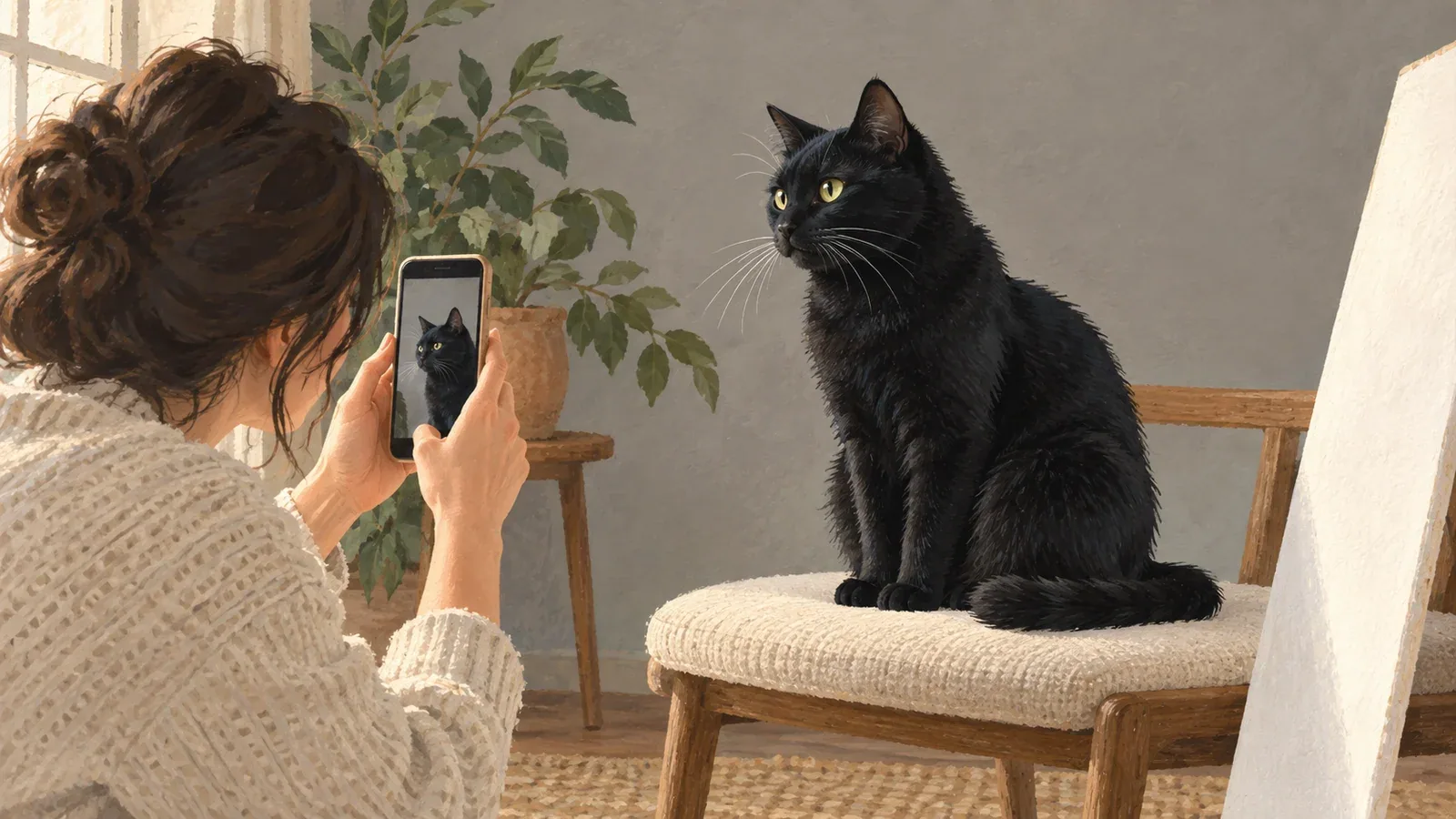
Table of Contents
To photograph a black cat with visible fur detail, give the face useful light before brightening the picture. Place yourself between the window and the cat, or slightly to one side, so daylight reaches the eyes and muzzle. Then adjust exposure carefully: the coat should still look black, with recognizable detail inside it.
You do not need to make every part of the fur equally bright. A dark coat can remain dark while the eyes, cheeks and edges stay readable.
Build a simple window-light setup
Choose a room where your cat already rests. Move yourself and the camera before moving the cat. Avoid pointing directly toward a bright window with the cat between you and the glass unless you deliberately want a silhouette.
Try this arrangement:
- Let the window light fall on the front or side of the cat's face.
- Crouch until the camera is near eye level.
- Check that your body is not casting a shadow over the face.
- Keep the background a little farther behind the cat when the space allows it.
- Take a picture, enlarge it, and inspect the eyes and muzzle before continuing.
The Cat Care Society's black-cat photography guide also recommends natural light, a considered background and exposure adjustments. The precise position depends on your window and the direction your cat chooses to face.
Diagnose the problem before changing exposure
| What the photo looks like | What to check | First adjustment to try |
|---|---|---|
| Bright window, almost invisible face | Light is mostly behind the cat | Change your angle so light reaches the face |
| Fur looks gray and washed out | Exposure may be too high | Lower brightness slightly and compare with the actual coat |
| Eyes are soft but the sofa is sharp | Focus landed behind the cat | Select the face or eye area and retake |
| Moving whiskers or a doubled outline | Subject or camera movement | Add available light, steady yourself and wait for a pause |
| Face merges into the background | Similar darkness at the outline | Try a quieter midtone background or a different angle |
Change one thing at a time. Otherwise it becomes difficult to tell whether the improvement came from light, focus, framing or a filter.
Adjust your phone without turning black fur gray
Clean the lens, open the camera, and select the part of the face you want sharp. On phones that expose an exposure slider, make a small adjustment and compare the result. The control's location differs between camera apps, so use your phone's current interface.
Look at the nose bridge, cheeks and any brown highlights in the coat. If brightening the image reveals them but makes the eyes or background overly bright, improve the light or composition first. A single slider cannot recover every shadow while preserving every highlight.
Keep a normal photo as well as any portrait-mode version. Automated background blur can clip whiskers or confuse ear edges. Compare the two at full size before selecting one for a portrait.
Separate the silhouette with the background
A plain, moderately light cushion or wall can make the ear outline easier to follow. Avoid placing a patterned object directly behind the face. You do not have to use a white background: a very bright background may make the face look darker by comparison.
For a dramatic dark-on-dark picture, light along one side of the face may provide enough separation. That is a different goal from a straightforward reference photo. Save both when possible, and choose the reference that describes the cat most clearly.
Work with a pause, not a forced pose
Try a moment when your cat has settled voluntarily. Keep any toy outside the camera's view, and stop if the cat leaves or loses interest. A short series can help you catch the brief pause between movements; inspect the results instead of assuming every frame is sharp.
Flash is often unnecessary near useful daylight, and direct phone flash can create distracting eye reflections. Alley Cat Allies advises patience, eye-level viewpoints and avoiding forced poses.
Choose the image for the job
For an artistic photograph, a partly hidden face or strong silhouette might be exactly what you like. For a custom portrait, select an image with visible eyes, complete ears and the coat details you want retained. Keep the original file and avoid repeatedly saving edited copies.
Black-and-white or charcoal-inspired digital art can be a visual choice, but it does not restore missing information. Compare styles with your reference photo in mind, and check the generated result for the distinctive features that make the cat yours.
Cat portrait tutorials, creative gift ideas, and new styles from the Frameow team.